just volleyball Getting Started Guide
Cursor aiming, three-touch rules, stamina, and your first Steam matches from tutorial to 2v2.
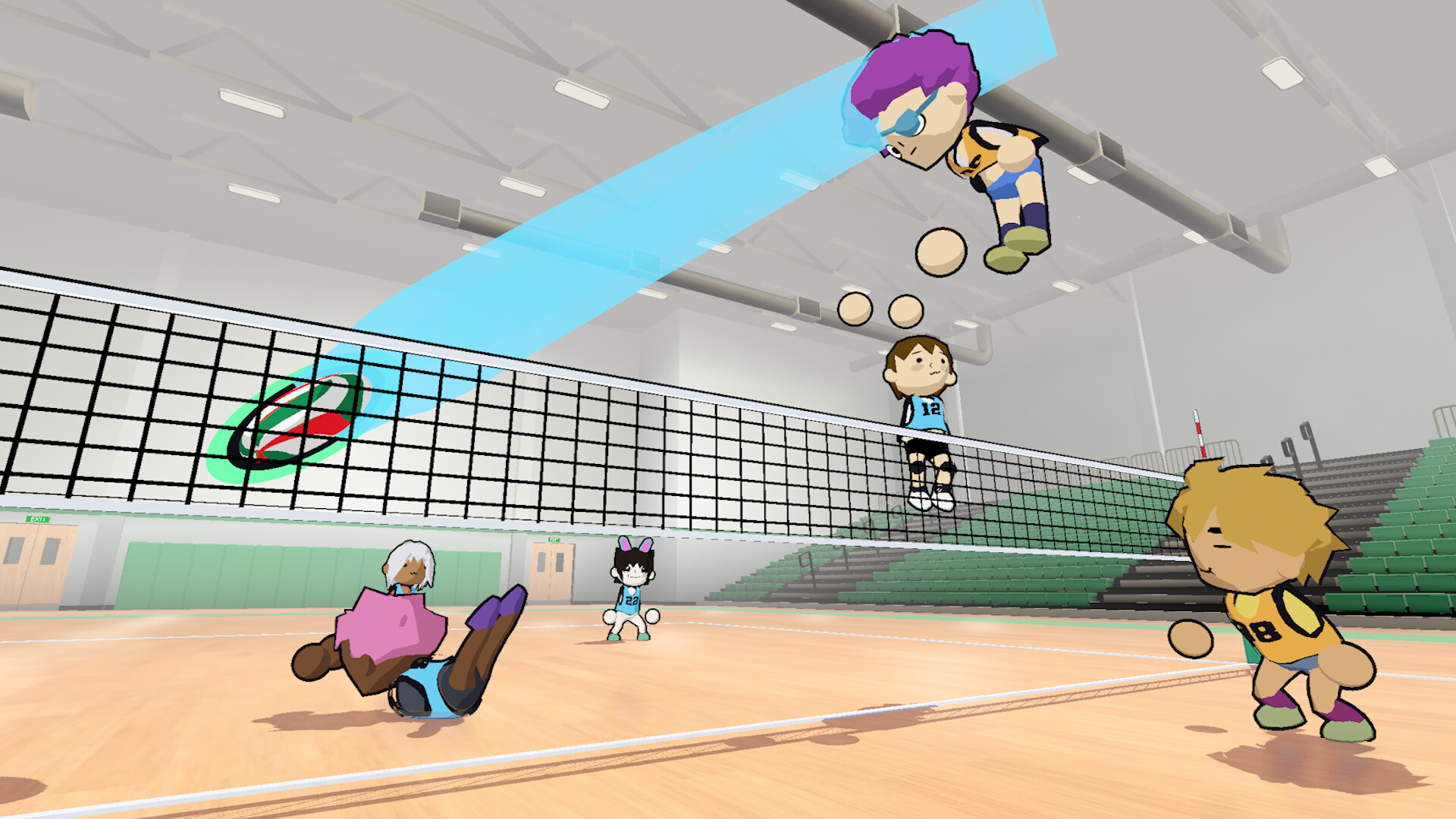
Just Volleyball is a keyboard-and-mouse arcade volleyball game by temkosoft on Steam. Launch price sits around $7.99 with launch discounts when available. You control a player on court with WASD, aim every touch with the mouse cursor, and compete in modes from 1v1 through 6v6. This getting-started guide walks you from first boot to a confident early match without skipping the systems that actually decide rallies.
If you only remember one idea from this page, make it this: the ball goes where the cursor points. Receive, set, serve, and spike all respect that rule. Point at your own court and the ball stays home. Point across the net and you attack. Teammates can see your intended target, so deliberate cursor placement is both mechanical skill and communication.
Install, launch, and first menus
Buy and install from Steam app 5037200. The store interface is English. Create or select a profile, then open that profile’s settings when you want to rebind keys or tweak screen shake—those options are not only in the global options menu. Join the official Discord at discord.gg/kKT98kf2wV for patch chatter and LFG. Keep this wiki’s Guides Hub bookmarked for technique pages.
Finish the in-game tutorial beats before you queue live matches. Tutorial text advances with Space or left click; right click steps back; arrow keys can skip sections. Treat the tutorial as a checklist for bump, set, spike, dive, block, and serve, then move to offline bots or a private lobby to repeat the same actions at full speed.
Core controls in one pass
You will deepen these on the Controls page. For day one, lock this map:
- WASD — move on court
- Mouse — aim the destination of every touch
- Ctrl or double-tap W — sprint (costs stamina)
- Shift — strafe while facing the cursor (cannot combine with sprint)
- Space — jump; hold to charge height
- Left mouse — receive or bump on the ground; spike in the air; toss and hit on serve
- Right mouse — dive on the ground; block near the net in the air
- E — set (can charge for a higher set)
- C — cycle camera; V or mouse wheel — zoom
Camera presets typically include Dynamic (ball tracking), Static (behind your half), Broadcast (elevated side), and Action (close third person). Start on Dynamic until you understand ball arcs, then experiment.
Rules that punish beginners
Teams get three contacts to return the ball. Outside 1v1, the same player should not take consecutive touches. Blocks do not count as one of those three contacts, which makes a good block both a defensive tool and a free reset. Net contact is allowed. Crossing into the opponent’s court is a fault—watch your landing after aggressive spikes and blocks.
Serve only from the highlighted service area outside the court, not from inside the playable rectangle. First left-click tosses; cursor distance changes whether the toss goes mostly vertical or out toward a landing point. Second contact sends the ball: stay grounded for a standing serve, or jump and hit in the air for a jump serve. Full serve taxonomy lives in How to Serve.
Stamina: the silent scorekeeper
Sprint, dive, and power-oriented jumps share one stamina pool. A dive spends roughly forty percent of the bar. Dive with an empty bar and you stay down about two seconds, which is an eternity against a competent opponent. Do not sprint into every ball. Walk or jog into position, keep Shift strafe when you need body orientation toward the cursor, and save dive for balls you truly cannot reach upright. Power serves and power spikes also tax the pool—chain them mindlessly and your next emergency dive fails.
Your first match plan
Prefer 2v2 for learning. You have a partner for set-and-spike sequences without the traffic of 6v6. Offline bots let you drill without social pressure. When friends are free, use a custom lobby code or Steam invite; details are on Multiplayer. Split-screen and Remote Play Together cover couch and long-distance pad sharing.
Early rally checklist:
- Receive toward help. Aim the first touch at a teammate who can set, not at a random deep corner on your own side.
- Set a reachable ball. Charge E when you need height; aim where the attacker can still approach.
- Finish with intent. Jump, then left-click in the air toward a gap, not into a formed block. Learn placement before you stack W power and A/D curve from the How to Spike guide.
On defense, position first. Dive second. Block when you are already at the net with a charged or timely jump; swinging RMB in the backcourt will not magically become a block.
What to practice after the tutorial
Spend a short session on each skill instead of grinding highlight spikes:
- Ten minutes of standing serves into deep corners
- Ten minutes of jump serves with clean airborne contact
- Receive drills where the cursor never leaves a teammate’s ready zone
- Set-to-spike with a bot or friend until the attacker’s jump timing matches the set height
- One stamina-awareness match where you refuse to dive unless the alternative is a free ace against you
Then expand into float (hold S on contact) and curve (A/D) serves, and into dash-jump or BAM jump spike approaches. Check Codes if you use character presets or promo strings, skim the Tier List once you care about roles, and watch Updates after patches.
Common early mistakes
- Leaving the cursor on your own half during a serve or spike so the ball dumps into the floor
- Taking two touches in a row in 2v2+ and handing the opponent a free fault
- Diving every rally until stamina is empty and you eat a two-second knockdown
- Jumping to spike without charging when you needed height to clear the block
- Ignoring the profile rebind screen and fighting uncomfortable defaults for hours
Fix those five and your win rate climbs faster than any single “secret” tech. Just Volleyball rewards calm first contacts and honest positioning. Master those, then layer style.
Next pages / reading path
Continue with the full Controls reference, then How to Serve and How to Spike. Add How to Block before you live in public lobbies, and skim Beginner Tips for the ten habits that stop free side-outs. When you are ready for friends and queues, open Multiplayer. Return to the Guides Hub whenever you need the full map of tutorials.
After this page, read Beginner Tips and Block & Dive before jumping into crowded public lobbies.
Frequently Asked Questions
Quick answers for the court.
Is Just Volleyball only on Steam PC?
Yes. It is a Steam Windows release by temkosoft (app 5037200) with keyboard and mouse as the primary control scheme. Check the store page for any later platform notes.
Which mode should beginners play first?
Start with 2v2 against bots or friends. 1v1 teaches personal defense and consecutive touches, but 2v2 is the clearest place to learn receive-set-spike without 6v6 traffic.
Why did my spike or serve hit my own court?
The cursor was still aimed on your side at contact. Move the reticle across the net before the hitting click on both serves and spikes.
Do blocks use up a team contact?
No. Blocks do not count as one of the three team contacts, so a successful block can reset the rally without burning your third touch.
Where do I rebind keys?
Open the profile tab, then that profile’s settings. Rebinds and related comfort options live there rather than only in the main options menu.